



Frequently Asked Questions

We present 3 packages that you can choose to start watching various movies you like at low prices and according to your needs
About MSports Play
A Streaming platform where the focus is Sports, but in times you will find different content.

Include content that you only will find on other platforms of TV Channels that need payment and exclusive content

Yes you can. You have 3 options, by Web, Android APP and IOS APP.

Just need to go to your profile and Delete.

Payments and Discounts

Go to https://msportsplay.com/ from a web browser on your computer or smartphone and select “Login / Register”:

1st Register your details and click on “Create New Account”;

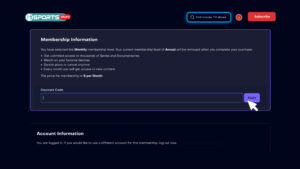
2nd A box will appear for you to select your plan — select “Discount Code”;

3rd Enter the promotional code.
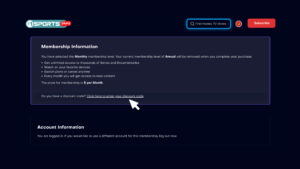
 

The policy used by MSports Play is that once the discount is applied to your subscription, it will remain in effect according to the campaign. If you cancel your subscription, you lose that discount upon reactivation if that same campaign is no longer in effect.

Yes, if the campaign associated with your discount is no longer active.

Setup and Troubleshooting
All devices, Web, Android, IOS, Desktop, Phone and Tablet.

Our big quest is to have every month new content. Sometimes every single week you will find need episodes of something.

Some Series have a continuous production during the hole year.

Didn’t find an answer to your question? To contact us directly or report a problem, please click below.